Customers still want a face when money is involved
Banks have moved service to apps, chatbots, and voice agents. But in a branch, on a kiosk, or on a phone, customers want to see who they’re talking to. When a question feels important, they still wait for a person.
Advisors tied up with routine
Advisors spend hours on fees, cards, and account opening, not advice.
No face where customers look
Kiosks and chatbots answer, but no one greets customers or explains next steps.
Answers that vary
Staff and channels explain the same product differently: a compliance risk.
What is AI Banker? An AI banking assistant
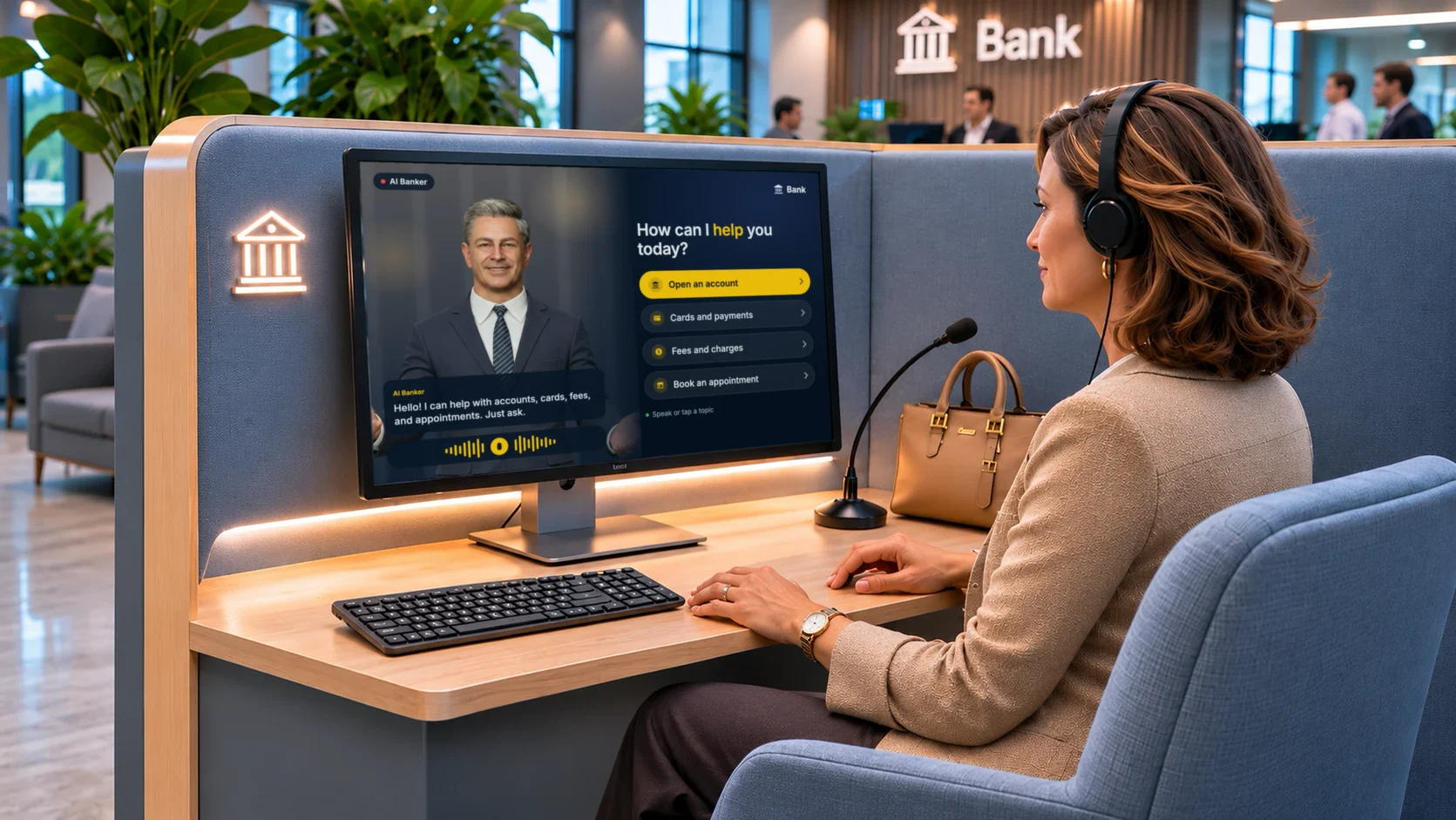
AI Banker is a virtual banking assistant that gives your bank a face customers can talk to, in branches, on kiosks, on mobile, and on your website. It answers routine questions from content your bank approved, at any hour and in 40+ languages, so your staff have time for the conversations that need a person.
Less waiting at the counter
Questions on fees, cards, and accounts get answered on the spot, without waiting for a free advisor.
Applicants who arrive ready
New customers learn which documents to bring and what happens next before they reach the counter.
A welcome at the door
Greets visitors, introduces your products, and points them to the right service, on a kiosk or in a Holobox.
Better-prepared staff
Employees check internal policy on the spot and rehearse hard conversations with AI role-play.
It works alongside your staff and the channels you already run. It doesn’t move money or make credit decisions, and you set what it may and may not discuss. Here’s what changes for each team and for your customers.
Who AI Banker is for
For your bank
Branch network leaders
Give your digital branches a face: an avatar that greets visitors and answers routine questions.
Digital and AI teams
Already run an AI agent or LLM? On a supported platform, give it an avatar customers can talk to.
Compliance and training
Answers from content you approved, a conversation log, and staff who rehearse hard cases.
For your customers
New customers
Arrive at their first appointment ready, with their questions answered in advance.
Everyday customers
Quick answers about cards, fees, and account types at any hour, without waiting on hold or for staff.
Multilingual customers
Help in 40+ languages, even when no one in the branch speaks the customer’s language.
AI avatars in financial services: LHoFT, Luxembourg
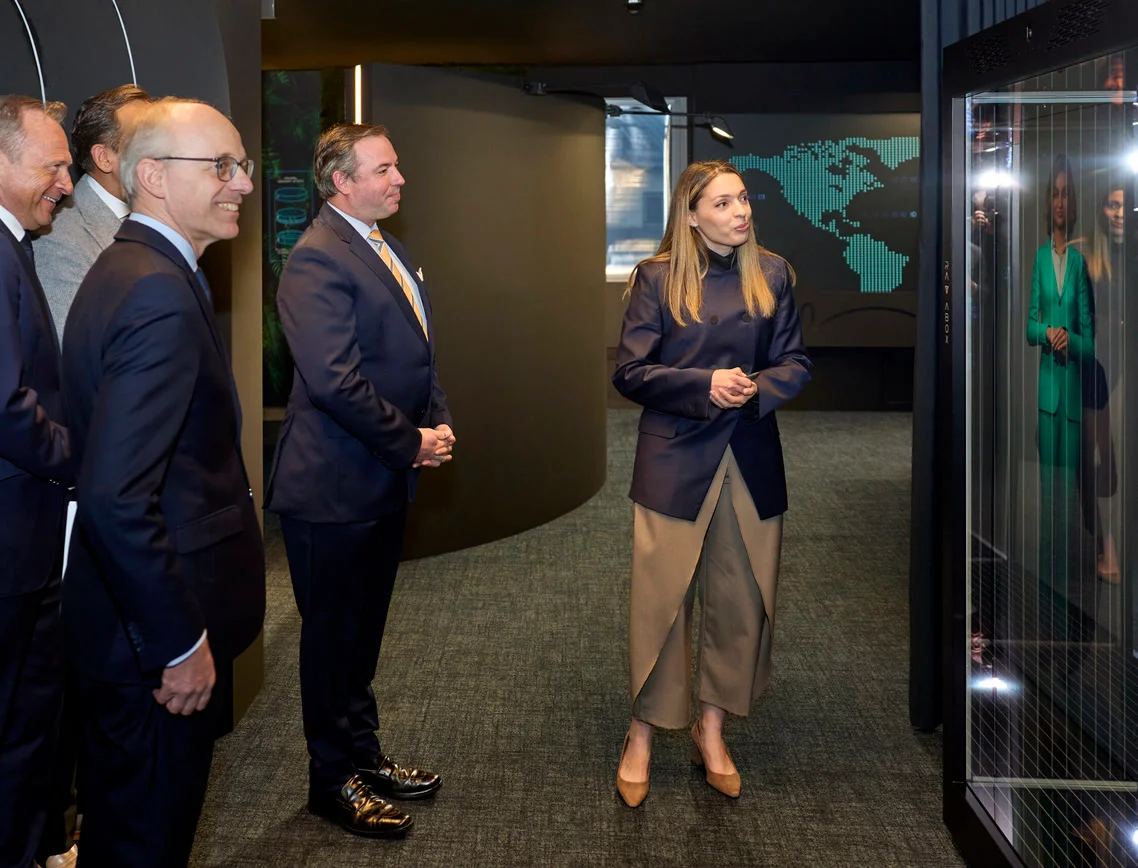
Kristal, the permanent AI host of the LHoFT AI Experience Centre
Kristal, built by RAVATAR, is a full-body AI hologram in a Holobox at the Centre’s entrance, inside the Luxembourg House of Financial Technology (LHoFT). Financial executives, regulators, and risk managers come here to try AI for themselves, and Kristal answers their questions on wealth management, fraud detection, sustainable investing, and AI in finance.
Each role is an Interactive AI Avatar for banking that answers from your bank’s own product and policy content. Launch the role you need most, then add more as you grow.
AI banking service consultant
Takes routine questions off your counters and support queues: accounts, cards, loans, and fees, explained in plain language. In a digital branch, it’s the first face customers talk to, and it points them to an advisor for anything complex.
Guides new customers through account opening step by step: which documents to prepare, what each form field means, and what happens next. Applicants come to the counter prepared, so fewer appointments end with a missing paper.
Hosts your flagship and digital branches, product launches, and events in your bank’s own voice. It greets every visitor, introduces your products, and points people to the right service, even when all your advisors are busy.
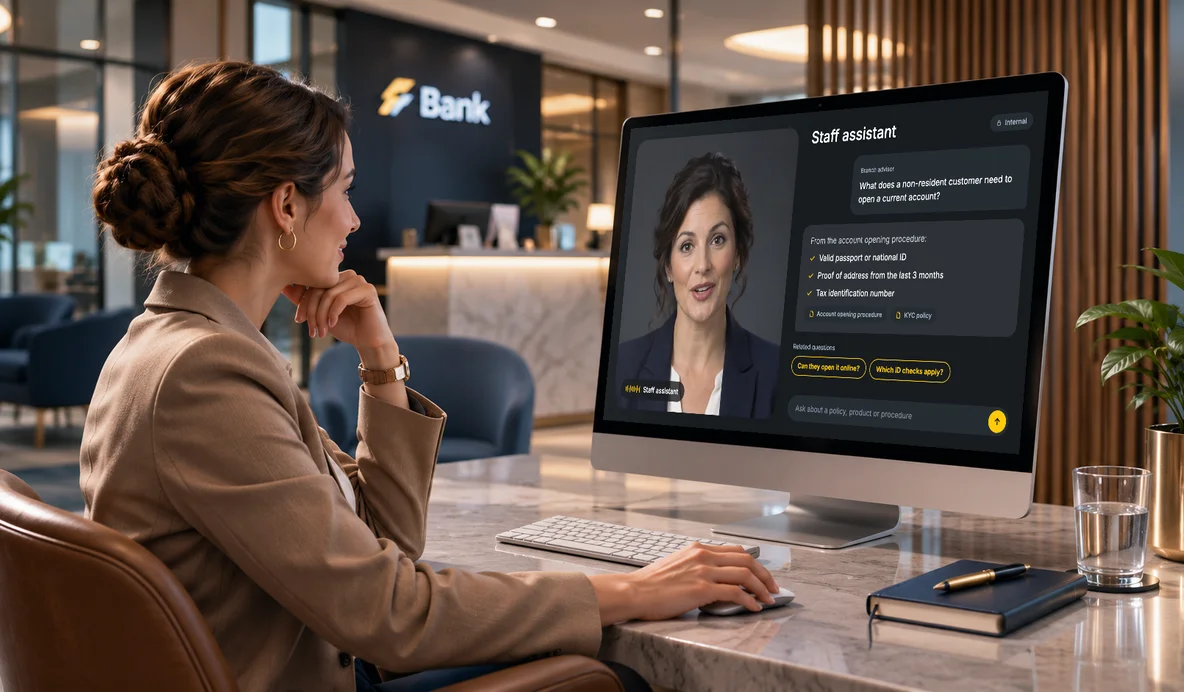
Gives employees in branches and the back office quick answers from internal policies, product sheets, and procedures. They spend less time searching, and customers hear the same answer in every branch and on every channel.
The avatar plays the customer in the hardest cases: a complaint, a customer in distress, a request that breaks policy. Staff rehearse out loud, as often as they need, until the right response comes naturally, before they face the real thing.
Each role answers from the content you approve, and your team can review conversations in the log.
Sovereign AI avatars: you choose where they run
Customer data is among the most regulated information a bank holds. On your own infrastructure, your IT team decides who has access and which AI models it uses. Web and mobile need a cloud deployment.
Air-gapped
Kiosks and Holoboxes, no internet. No data leaves your network.
Conversational AI for banks, with a face and a voice
AI Banker is conversational AI for banking that customers can see and hear. It gives a face and voice to supported AI agents or the models in Genesis Studio, and your team controls what it says.
Real-time conversation
Customers speak, and the avatar answers aloud.
Lifelike expression
Lip-sync, facial expressions, and gestures.
Your knowledge base
Answers from the product content you load.
After-hours service
Nights and weekends, without extra shifts.
40+ languages
Customers speak and hear their own language.
Conversation log
Review customer questions and the avatar’s answers.
Your AI stack
Use your own AI and speech models.
Your channels
Web, mobile, kiosk, or Holobox.
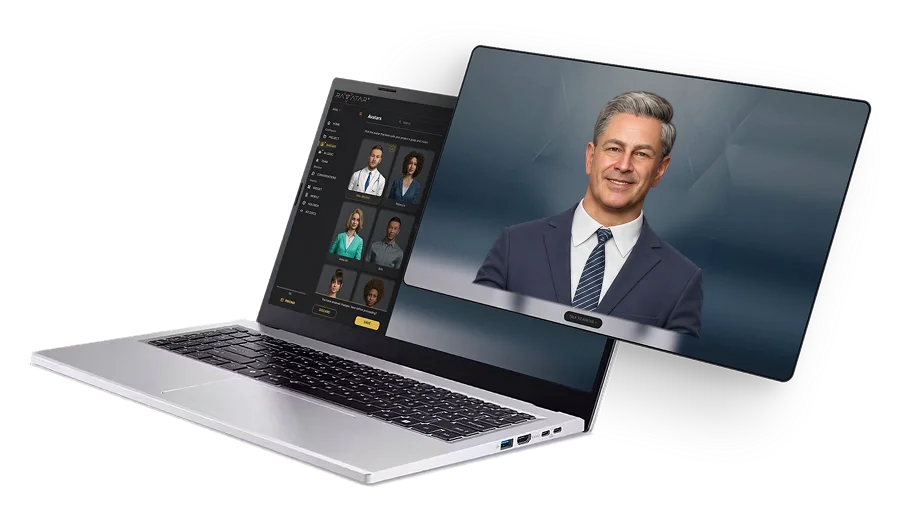
Set up your AI Banker in Genesis AI Avatar Studio
Build your AI Banker yourself, or with our team during the pilot.
01Set the look and voice to match your bank’s brand.
02Load your approved product sheets, fees, and FAQs.
An AI banker is an AI assistant that handles a bank’s routine conversations with customers and staff, such as product questions, fees, and account-opening steps. RAVATAR’s AI Banker does this as an Interactive AI Avatar: a face and a voice that talks with customers in real time, answers aloud from content your bank approved, and points them to your staff when they need a person.
How is an AI avatar different from a banking chatbot?
A chatbot answers in a text box. An AI avatar holds a spoken, face-to-face conversation with lip-sync, expressions, and gestures, so it works where text doesn’t: in a branch lobby, on a kiosk, or for customers who’d rather talk than type. It can draw on the same approved content as your chatbot.
How do we control what AI Banker says?
You decide what it knows. It answers from the content your bank loads and approves, such as product sheets, fee tables, and procedures, and you instruct it to offer a person when a question falls outside that content and not to give personal financial advice. It doesn’t make credit decisions or move money. When a fee changes, your team updates it in Genesis AI Avatar Studio, and conversations are logged so your team can review them.
Will AI Banker replace bankers and branch staff?
No. It takes the repeat questions that fill your staff’s day, such as fees, card questions, and which documents to bring, and it gives employees quick answers from internal policy too. Your people keep the work that needs judgment: advice, complex cases, and customers who want a person.
How does AI Banker improve the client onboarding process?
It walks new customers through account opening step by step: which documents to bring, what each form field means, and what happens next. Customers can ask at any hour, in 40+ languages, so they can arrive with the right documents. It explains the process; your staff and systems still verify identity and open the account.
Will customers know they’re talking to an AI?
Yes, when you set it up that way, and we recommend it. In Genesis AI Avatar Studio, you write AI Banker’s role instructions so it tells customers it’s an AI assistant when the conversation starts, in each language it speaks. Rules on AI disclosure differ by market, so agree the exact wording with your compliance team before launch.
How secure is customer data with AI Banker?
It depends on where you run AI Banker, and your bank makes that choice: air-gapped with no internet connection, on-premise on your own servers, or in your private or sovereign cloud. On your own infrastructure, your IT team decides who has access and which AI models it uses, and in an air-gapped setup no data leaves your network. Website and mobile need a cloud connection, so agree that setup with your security team.
Where can customers use AI Banker?
On your website, on mobile, at branch kiosks, and as a life-size AI hologram in a Holobox. The website widget goes in with one script snippet, and on mobile, customers open AI Banker in their phone’s browser from a link or QR code, with no app release. It speaks 40+ languages and answers at any hour.
Does AI Banker connect to our AI models?
It can. AI Banker connects to AI agents built on the platforms it supports, or to your own private or on-premise models, so your AI logic stays where it is. If you don’t run your own AI yet, start with the AI models available in Genesis AI Avatar Studio.
Can the avatar look and sound like our bank?
Yes. In Genesis AI Avatar Studio, you pick an avatar and set its appearance, voice, languages, and communication style to match your brand, and you can launch a custom voice of your own. For a look made only for your bank, RAVATAR designs a custom avatar as an add-on. You can also run separate avatars for separate roles, such as a branch host and a staff trainer.
How do banks start with AI Banker, and how do we measure results?
With a pilot: pick the role and channel where routine questions pile up, load your approved content, and launch, on your own in Genesis AI Avatar Studio or with RAVATAR’s team. Agree one success measure first, such as questions answered after hours, and track it in the conversation log, which shows what customers asked and how the avatar answered, before you add roles or channels.
How much does AI Banker cost?
AI Banker is priced by conversation minutes. Holobox deployments start on the Corporate plan at €999 a month with 20,000 minutes, and on-premise AI and knowledge-base search (RAG) are add-ons. A fully custom build starts at €5,000 for a proof of concept. Talk to sales to scope your pilot.
Ready to meet your AI Banker?
See the avatar answer typical customer questions in your languages, on the channel you’ll launch first. Start small, then grow from there.
Decide which cookies you want to allow.
You can change these settings at any time. However, this can result in some functions no longer being available. For information on deleting the cookies, please consult your browser’s help function.
Learn more about the cookies we use.
With the slider, you can enable or disable different types of cookies:
This website will:
This website won't:
Essential: Remember your cookie permission setting
Essential: Allow session cookies
Essential: Gather information you input into a contact forms, newsletter and other forms across all pages
Essential: Keep track of what you input in a shopping cart
Essential: Authenticate that you are logged into your user account
Essential: Remember language version you selected
Functionality: Remember social media settings
Functionality: Remember selected region and country
Analytics: Keep track of your visited pages and interaction taken
Analytics: Keep track about your location and region based on your IP number
Analytics: Keep track of the time spent on each page
Analytics: Increase the data quality of the statistics functions
Advertising: Tailor information and advertising to your interests based on e.g. the content you have visited before. (Currently we do not use targeting or targeting cookies.
Advertising: Gather personally identifiable information such as name and location