Chiropractic Intake Forms
Every chiropractic intake form a practice uses, explained: what each one asks and why.
From the new patient intake form and consent to neck, back, extremity, and auto accident questionnaires. Pick a form to see its questions.

Chiropractic intake forms by area
Forms grouped by the area of chiropractic care that uses them. Every practice words its own forms differently; each page shows what a typical form asks.
- General chiropractic 4
- Neck and back 4
- Headache and TMJ 2
- Extremities 5
- Auto and work injury 2
- Prenatal and pediatric 7
General chiropractic
4 forms- Chiropractic health questionnaire Coming soon
- Chiropractic informed consent Coming soon
- Chiropractic new patient intake form Coming soon
- Chiropractic re-evaluation form Coming soon
Neck and back
4 forms- Low back pain questionnaire chiropractic Coming soon
- Neck disability index Coming soon
- Neck pain questionnaire chiropractic Coming soon
- Oswestry low back pain disability questionnaire Coming soon
Headache and TMJ
2 forms- Headache questionnaire chiropractic Coming soon
- TMJ disability index chiropractic Coming soon
Extremities
5 forms- Carpal tunnel questionnaire chiropractic Coming soon
- Knee pain questionnaire chiropractic Coming soon
- Lower extremity questionnaire chiropractic Coming soon
- SPADI shoulder pain and disability index Coming soon
- Upper extremity questionnaire chiropractic Coming soon
Auto and work injury
2 forms- Chiropractic auto accident intake form Coming soon
- Chiropractic workers comp intake form Coming soon
Prenatal and pediatric
7 forms- Adolescent chiropractic history form Coming soon
- Chiropractic consent to treat minor Coming soon
- Newborn chiropractic intake form Coming soon
- Pediatric auto accident chiropractic form Coming soon
- Pediatric chiropractic intake form Coming soon
- Prenatal chiropractic intake form Coming soon
- School age chiropractic history form Coming soon
Chiropractic intake forms: FAQ
What intake forms does a chiropractic practice use?
A new patient intake form, a health history, and an informed consent form come first. Questionnaires for the neck, back, or shoulder track progress over time. Auto accident and workers' comp cases add forms about the injury.
What does a chiropractic new patient intake form ask?
The main complaint, where it hurts, when it started, what makes it better or worse, and how it affects daily life. It also covers past injuries, surgeries, medications, and earlier chiropractic care.
What are the Oswestry and Neck Disability Index?
Both are standard disability questionnaires. Each has 10 sections scored 0 to 5, for a total out of 50. The Oswestry covers low back pain, and the Neck Disability Index was adapted from it for neck pain. Repeating them at re-evaluations shows change over time.
Why do auto accident cases need a separate form?
The form records how the accident happened, where the patient sat, the symptoms since, and other care received. Insurance claims often depend on these details, so the practice documents them from the first visit.
How are pediatric chiropractic forms different?
A parent or guardian fills them in and signs a consent to treat a minor. Newborn forms ask about pregnancy, birth, feeding, and sleep. Forms for older children add school, sports, and activity questions.
How does AI Doctor help a chiropractic practice?
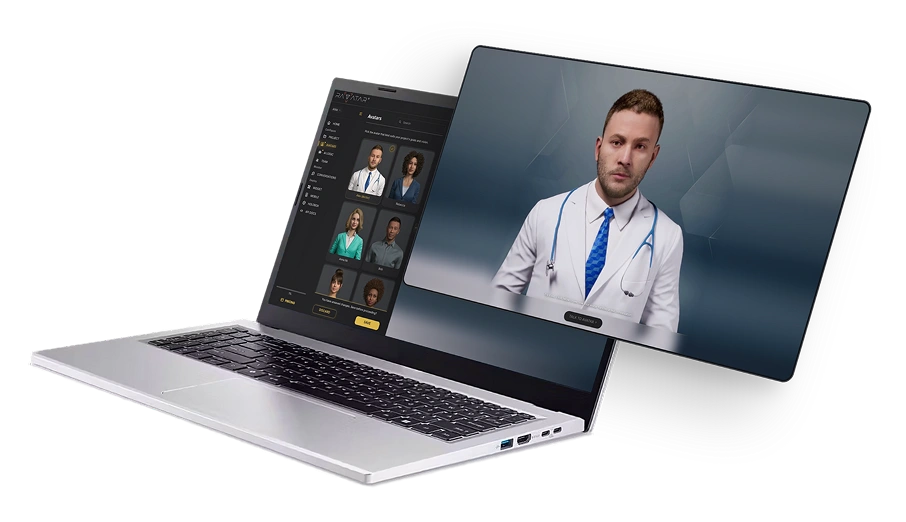
AI Doctor, a real-time AI healthcare assistant avatar, asks the intake questions as a conversation, in the patient's own language. It collects the answers for the chiropractic team to review before the visit.
Does AI Doctor give medical advice?
No. It collects information for the care team. It doesn't diagnose, triage, or recommend treatment.
Can patient answers stay on our own servers?
Yes. RAVATAR offers on-prem deployment: the platform can run inside your own perimeter, so patient answers stay there. RAVATAR complies with GDPR and the EU AI Act.
Set up your AI Doctor in Genesis AI Avatar Studio
Genesis AI Avatar Studio is where you set up, test, and publish AI avatars for your website, mobile app, or Holobox. No coding or technical skills needed.
- 01Choose the AI Doctor avatar.
- 02Add your practice's FAQs and visit information.
- 03Talk to it, then publish it.