Reaching Usage Caps
As your AI avatar activity grows, you may eventually hit the limits of your current subscription due to conversation minutes quotas. Here’s how the system responds in such cases and what actions you can take to ensure your interactions continue without disruption.
When all conversation minutes included in your subscription package are consumed, your AI avatar will become unresponsive. In the Studio, the avatar preview pane is replaced with an "All conversation minutes used. Upgrade your plan to continue." notice and the corresponding UPGRADE PRICING PLAN action, while the usage indicator at the bottom of the navigation menu turns red at 100%:
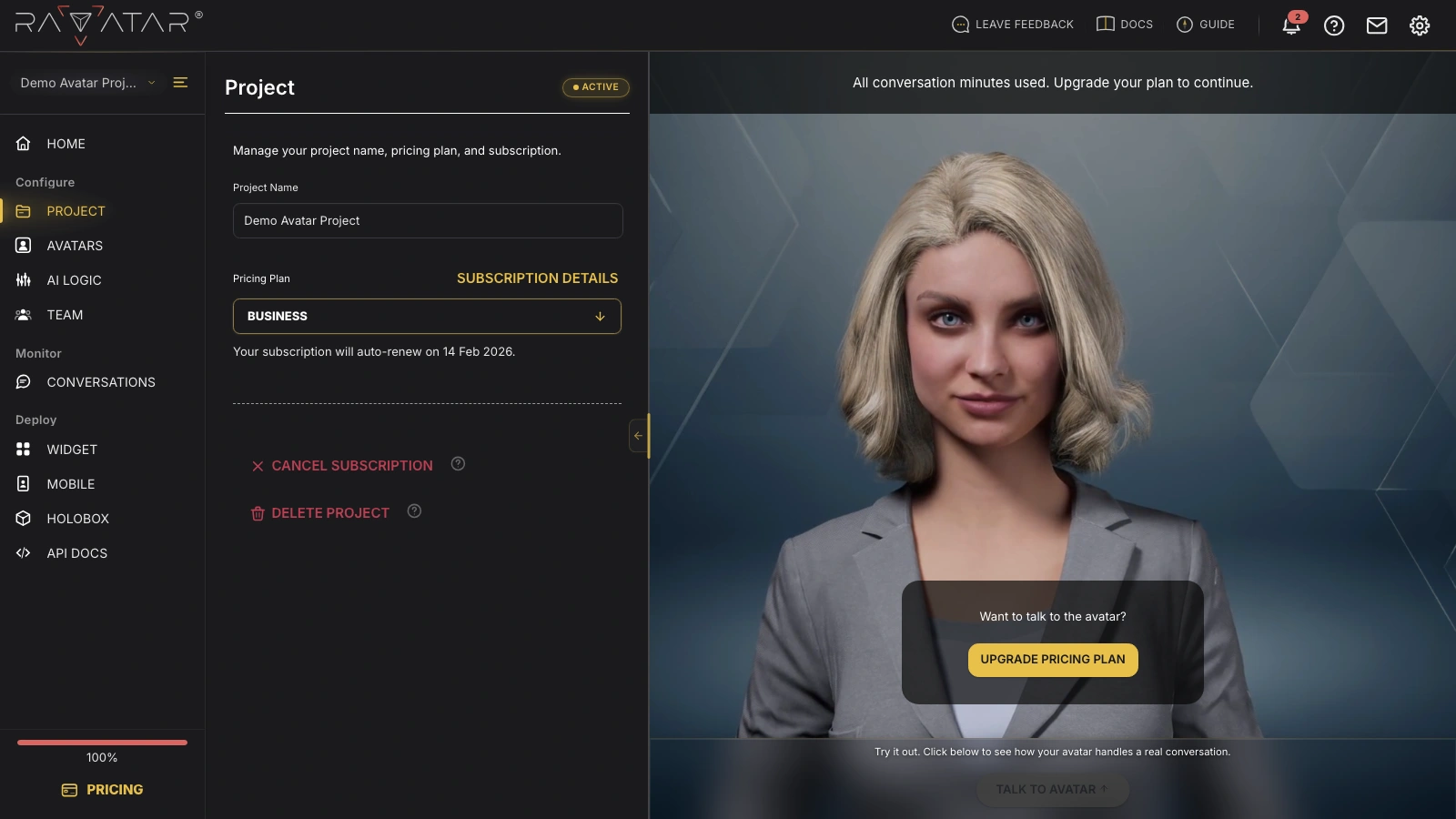
Users attempting to interact with your AI avatar at this point will see the message: "The service is currently unavailable. Please try again later or contact the website owner."
In this case, you can manually purchase a new subscription package (either with a higher capacity or of the same level), even if your current one hasn’t expired yet. Please keep in mind that this will reset your billing cycle and, if you switch to a different plan, will replace your current subscription terms (so you won’t be billed again under the previous plan).
Conversation minutes are spent by every live interaction with the avatar – including your own test conversations in the Live Preview panel, not just visitor chats on your website. The minutes are also tied to the billing period: whatever remains unused when the period ends expires with it.
We recommend keeping track of your resource consumption and regularly reviewing your subscription metrics to adjust your plan as necessary. Use the PROJECT > Subscription Details option for this purpose – once the quota is exhausted, it shows 0 remaining conversation minutes along with an upgrade reminder:
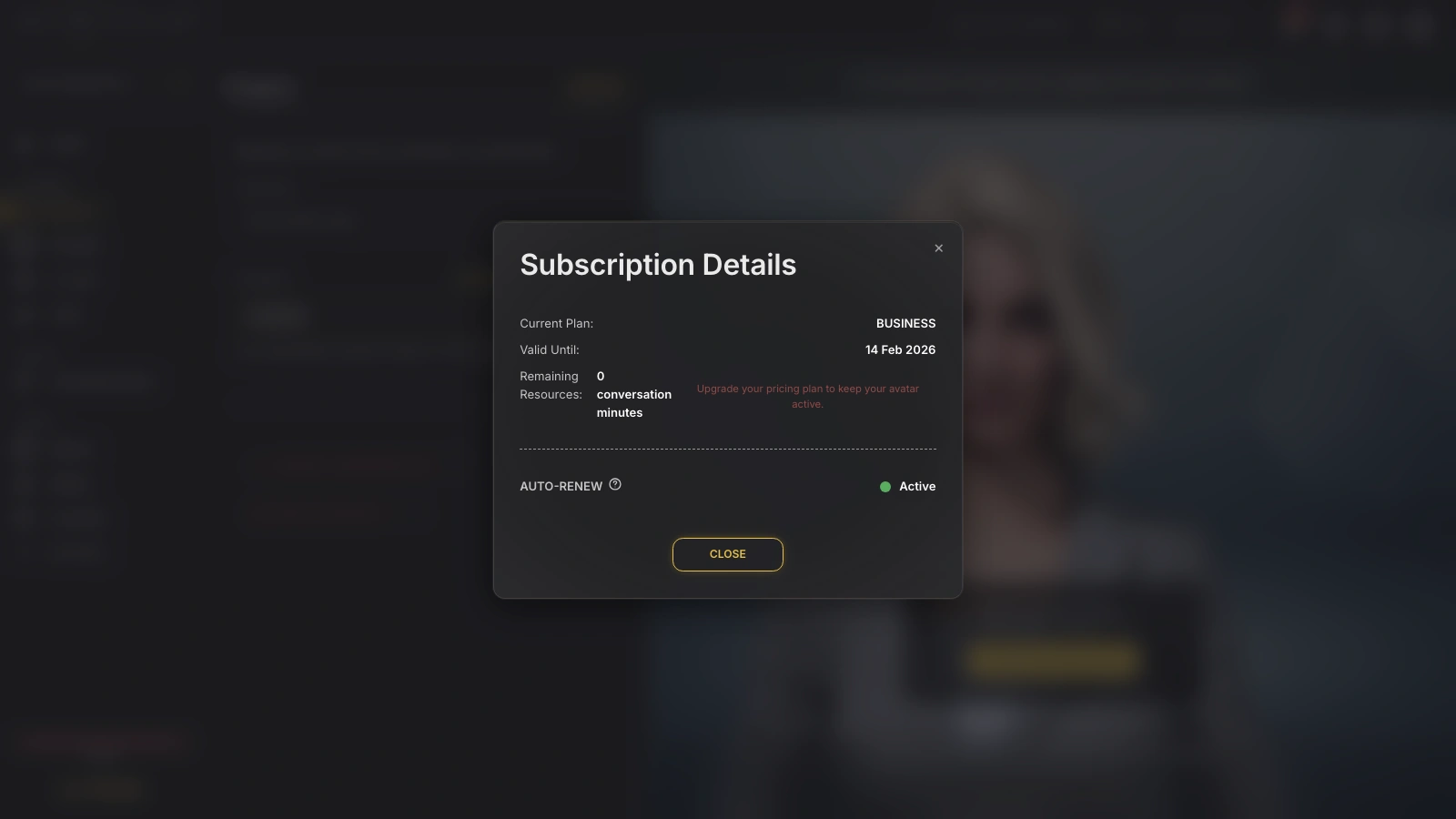
Staying ahead of your usage caps helps prevent service downtime and keeps user conversations running smoothly.