AI Avatar Project Configuration Wizard
The AI Avatar project configuration wizard is designed to guide you step by step through the key AI avatar customization options, helping you select its attire, shape behavior, configure interaction capabilities, connect it with custom LLMs and AI agents, and more.
The final stage covers integration with your digital platform, including web widget deployment, mobile launch, and holobox streaming.
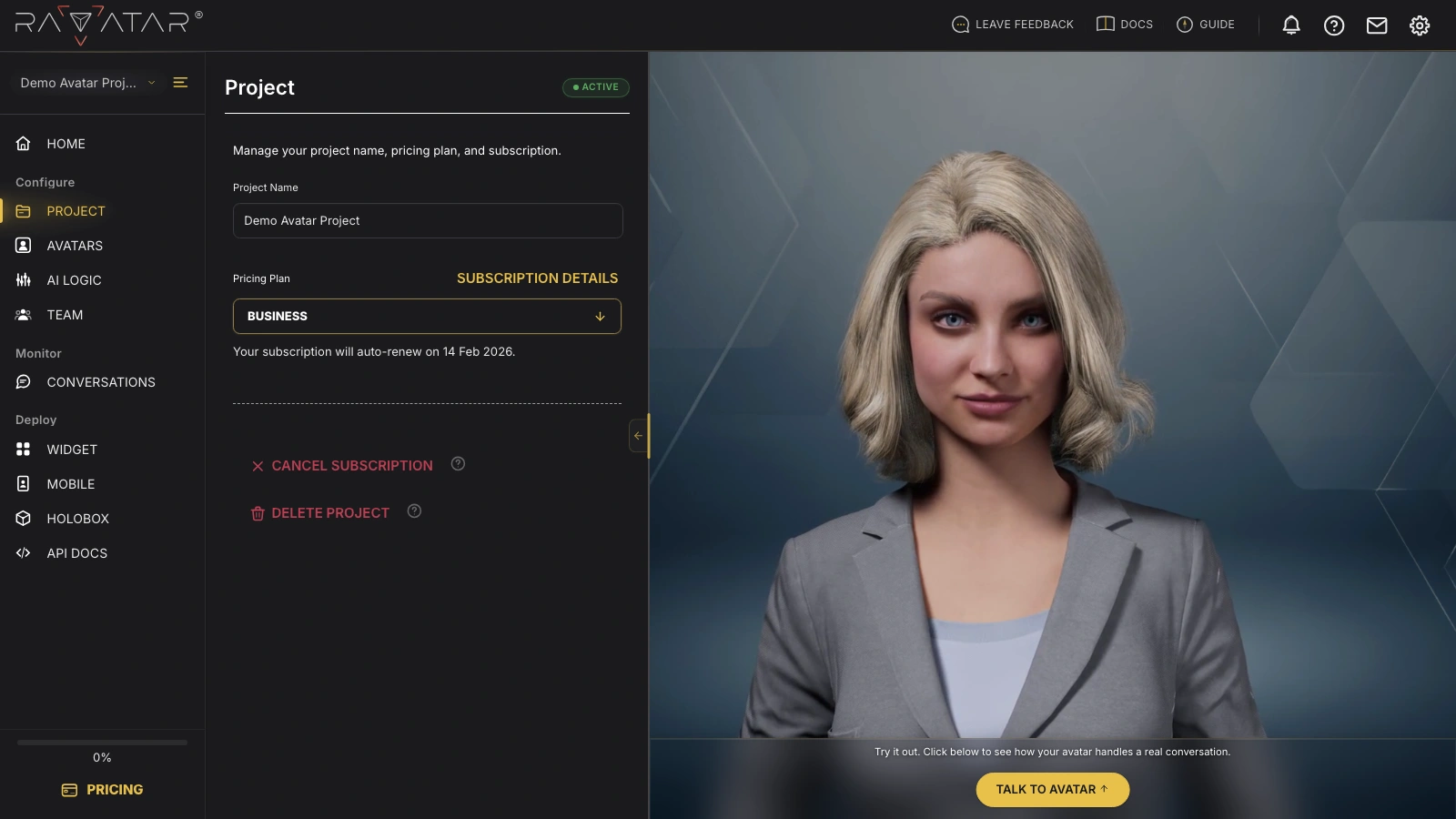
On the right, the preview pane continuously displays your chosen avatar character, with the option to test its real-time conversational capabilities. For more details on this functionality, refer to the Avatar Preview Display section of this guide.
The left-hand panel provides easy navigation between project configuration stages:
- PROJECT – project status, subscription, and pricing plan controls.
- AVATARS – the avatar’s appearance, with an option to request a custom persona.
- AI LOGIC – choose whether the avatar’s logic is configured in the studio or by a connected external agent.
- ROLE – define the avatar’s role and personality.
- MODEL – pick the LLM engine that generates replies.
- TEXT TO SPEECH – assign a voice to every language the avatar speaks.
- AI AGENTS – connect a third-party AI agent via API.
- TEAM – invite teammates, set their access levels, and follow the activity log.
- CONVERSATIONS – review every chat your avatar has had.
- WIDGET – embed the avatar on any website with a JavaScript snippet.
- MOBILE – launch the avatar on mobile devices via a shareable link or QR code.
- HOLOBOX – stream the full-body avatar to holographic displays.
Let’s walk through each section of the wizard in detail and discover how you can tailor your digital human to your needs.