WIDGET
This wizard section helps you integrate your interactive AI avatar into your website as a chatbot widget, enabling real-time, AI-powered conversations right on your digital platform. The whole integration process is as simple as embedding a small JavaScript snippet into your target webpage’s HTML code.
So, to launch your AI avatar live, enter the full address of the site where your avatar should appear (make sure to include the protocol part, e.g., ‘https://’) into the Paste URL field.
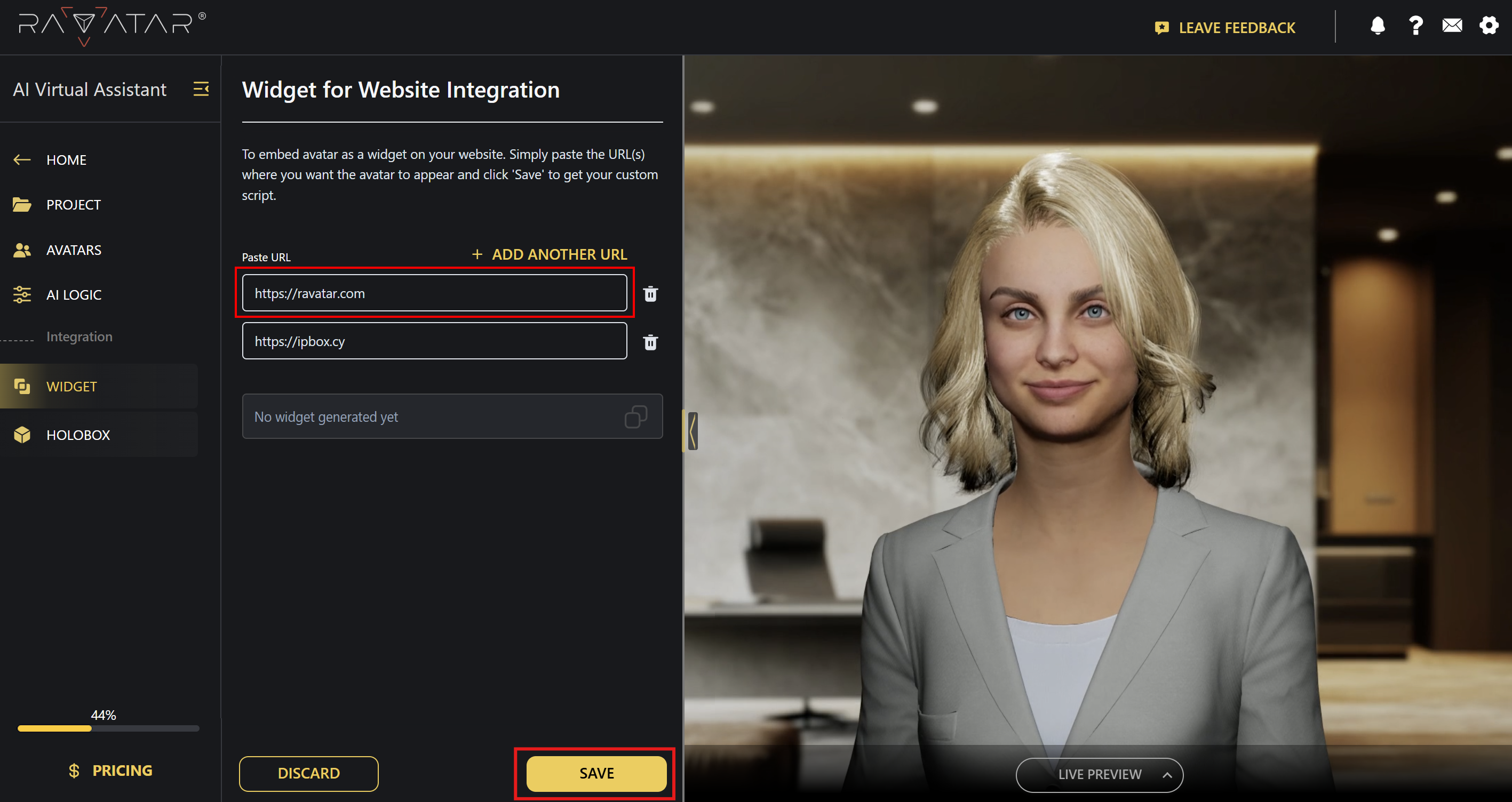
You can also place your avatar on more than one domain at once by clicking the + Add Another URL option above to create extra input fields. The trash bin icon next to each field lets you remove redundant URLs in case you’ve changed your mind.
Later on, if you need to change this list by adding or removing addresses, there’s no need to re-integrate the widget – its code will remain the same. Simply update the entries to let Genesis Studio know which pages will host your avatar.
Once everything’s set, Save the changes made.
A new frame with your unique widget code will appear below the address field(s), along with a visual tip that shows exactly where to paste it, i.e., inside the <body> section of your webpage’s HTML.
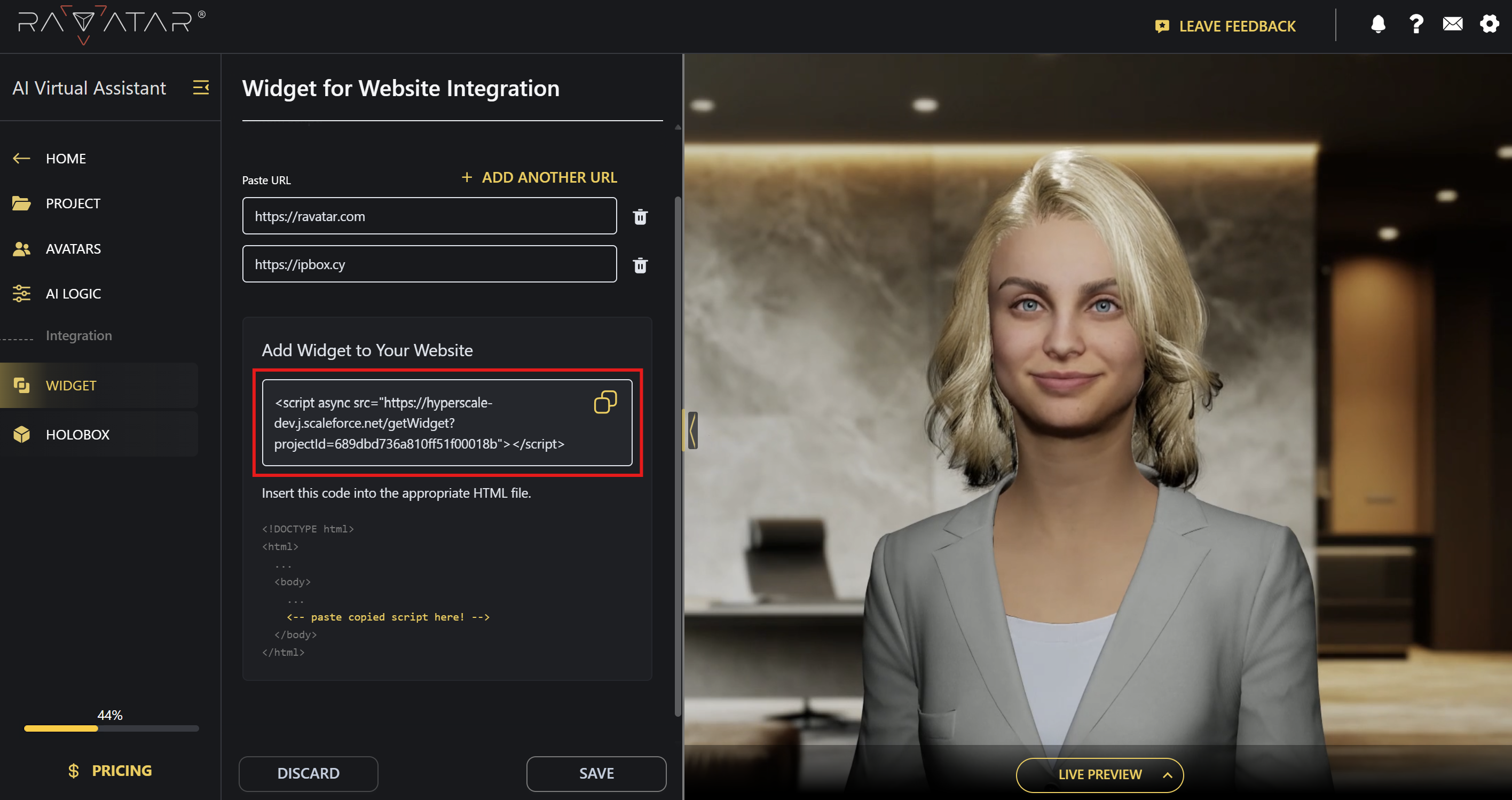
Copy the provided snippet and add it to your website as instructed.
That’s it! Your virtual AI-powered assistant is now available as a chat widget in the bottom-right corner of your updated page, ready to engage your visitors.
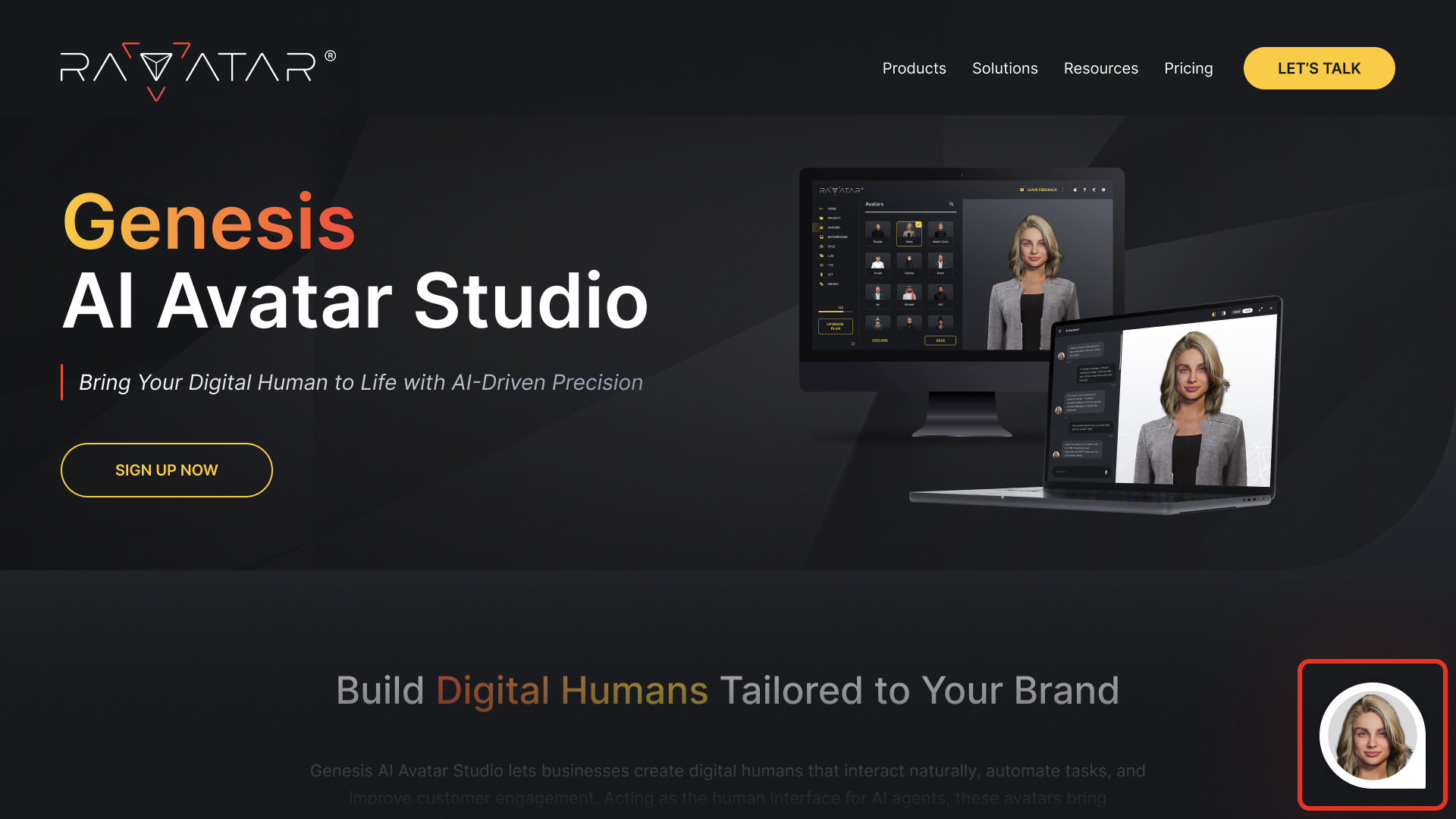
From now on, your real-time AI-powered assistant will be available 24/7 to greet, guide, and support users the moment they land on your site, ensuring not a single interaction is missed.
Further details on the user experience with the widget can be found in the Live Preview section.
You can place your chatbot widget on multiple pages or domains simultaneously – there is no limit to the number of users who can interact with your AI avatar at the same time.