AI AGENTS
Choosing AI Agents as the avatar’s Logic Source lets you connect a third-party AI agent to define your avatar’s functions and behavior, instead of configuring this manually via the built-in AI Models utilities (such as Role, Model, and Text to Speech).
Manage the agent’s logic and parameters solely on the provider’s side. In the Studio interface, you only link the ready-made agent through an API key and choose from the available configurations it provides.
Once you select AI Agents, a Provider field appears, where you can choose from the currently supported AI services (switching the provider clears the fields of the previous one):
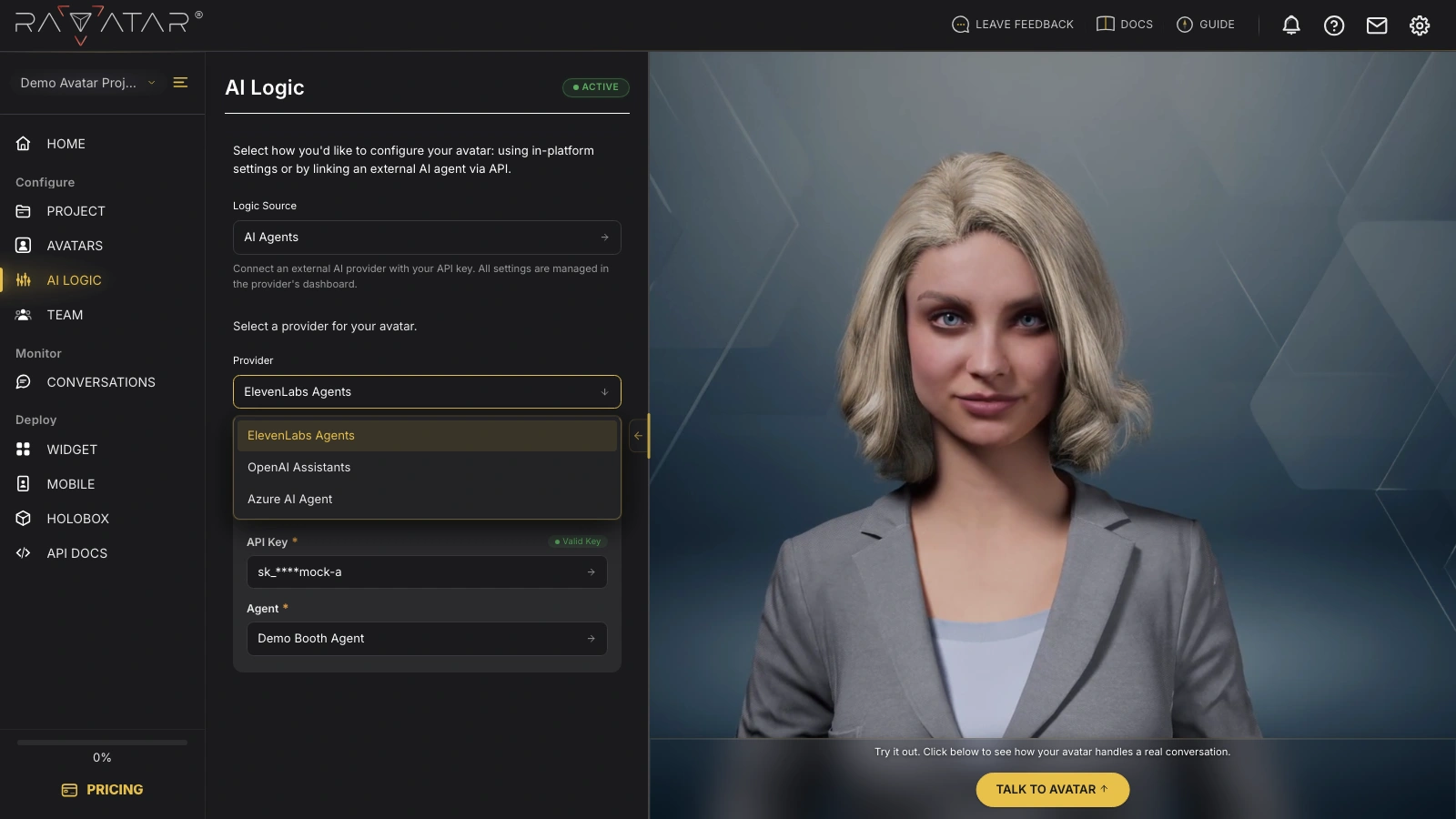
- ElevenLabs Agents – an agent from your ElevenLabs account; it speaks with its own voice, so no TTS setup is involved.
- OpenAI Assistants – an assistant from your OpenAI account; voice is added via the TEXT TO SPEECH panel.
- Azure AI Agent – a Microsoft Foundry agent, connected by filling in its details manually; voice is also added via the TEXT TO SPEECH panel.
This list is subject to future extension. If the AI agent service you’re looking for isn’t listed, contact us at support@ravatar.com. We’ll review the request and consider its integration based on relevance and technical feasibility.
After picking a provider, follow its guide above to finish the connection. From that point on, your AI avatar operates according to the predefined logic of the connected agent – test it in a live conversation right away by clicking Talk to Avatar in the Preview Display panel.