AI LOGIC
This section holds configurations for your AI avatar’s behavior logic, helping you define how it acts, responds in conversations, and handles assigned functions.
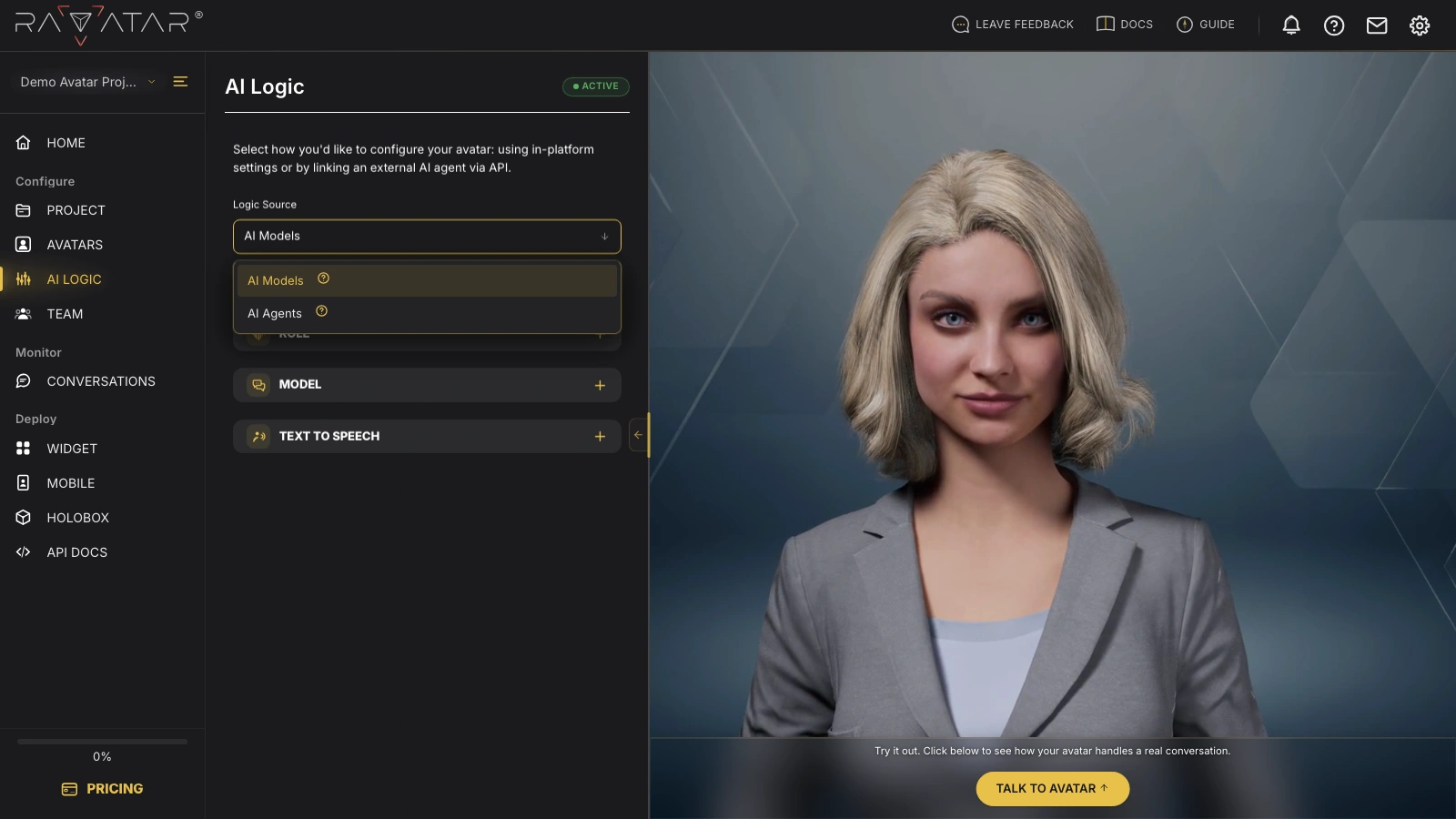
Expand the Logic Source drop-down to choose one of the available configuration modes:
-
AI Models – Enables full in-studio configuration, including setting an avatar’s role and function, connecting a Large Language Model (either one of the built-in options or your custom LLM linked via API), and managing speech capabilities with Google TTS or custom ElevenLabs voices.
-
AI Agents – Allows you to connect an external AI agent via API, choosing from the list of supported Agentic AI providers. In this setup, the avatar’s responses and behavior are fully managed by the connected third-party AI service, and the entire logic design must be handled within the provider’s interface.
If you’re unsure which mode fits, start from where your conversational logic lives. AI Models keeps everything in the studio – you shape the role, pick the LLM, and assign voices without leaving the wizard. AI Agents suits projects where an agent is already built with an external provider: the avatar gives it a face and voice, while its behavior stays managed in the provider’s dashboard.
Depending on the mode chosen, follow the linked guides for step-by-step instructions on further configurations.