ElevenLabs Agents
ElevenLabs Agents is one of the supported AI Agents providers: the avatar’s replies and voice are fully produced by a conversational agent from your ElevenLabs account.
With the provider selected, provide your API Key from the ElevenLabs dashboard and click Apply (keys you’ve saved earlier are available in the drop-down list). The key is verified automatically, and a Valid Key or Invalid Key badge appears next to the field.
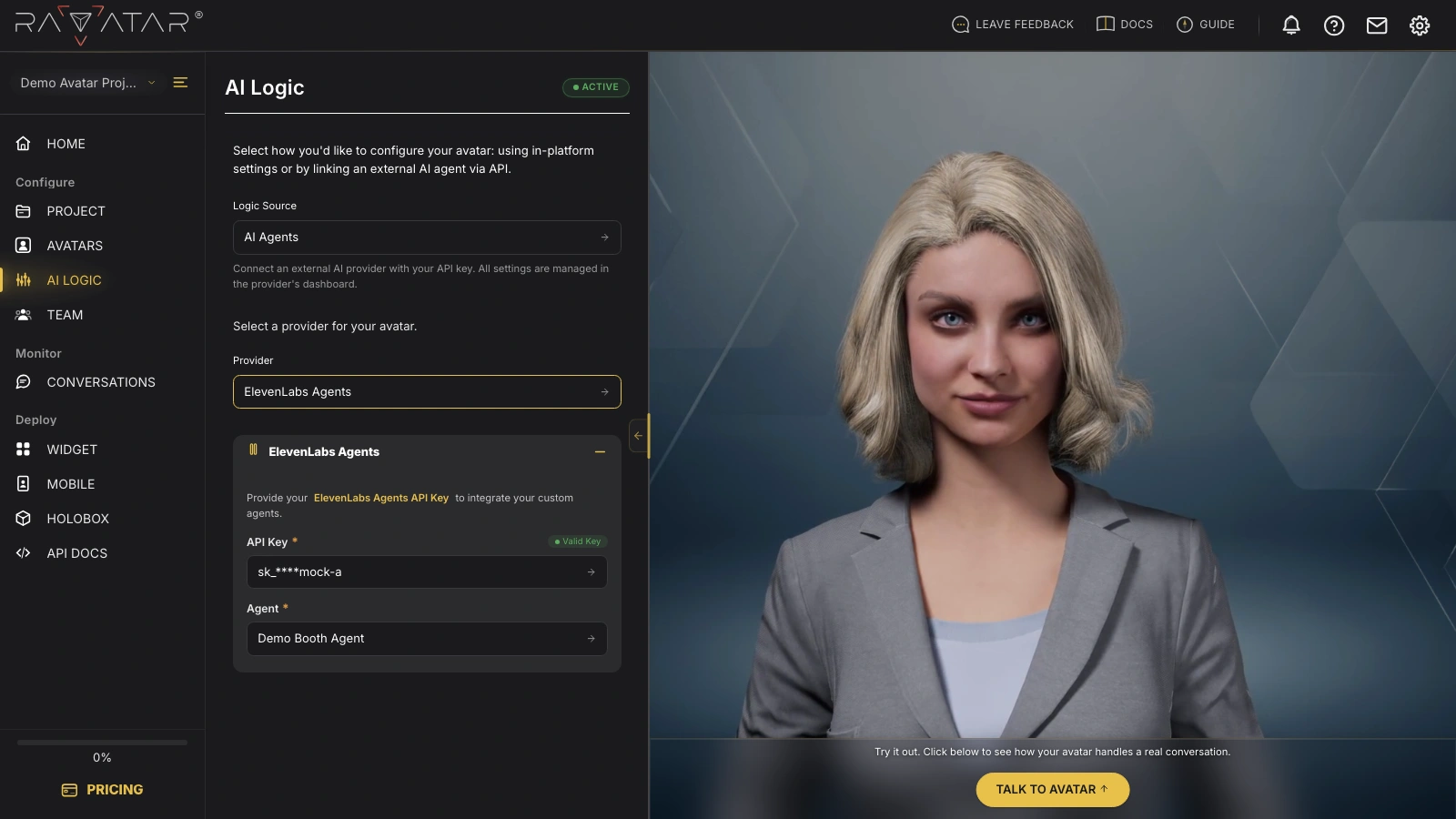
Once the key is validated, the Agent field appears – pick one of the agents available under your key (the built-in search field helps with long lists) and click Save to apply the configuration.
The list shows the agents that already exist in your ElevenLabs account – Genesis Studio doesn’t create them. If it comes up empty, build and tune an agent (its prompt, knowledge base, and voice) in the Agents section of the ElevenLabs dashboard first. Keep in mind that ElevenLabs bills the agent’s usage separately, according to your ElevenLabs plan.
ElevenLabs agents come with their own voice, so the TEXT TO SPEECH panel is not shown for this provider.
With the agent connected, test it in a live conversation – click Talk to Avatar in the Preview Display panel.