Newo.AI
Newo.AI is one of the supported AI Agents providers: the avatar’s replies are produced by an agent from your Newo.AI organization. It’s the simplest provider to connect – the only value you supply is your Organization Idn. There’s no API key to paste and no TEXT TO SPEECH panel to fill in, because the Newo.AI agent already speaks with its own voice.
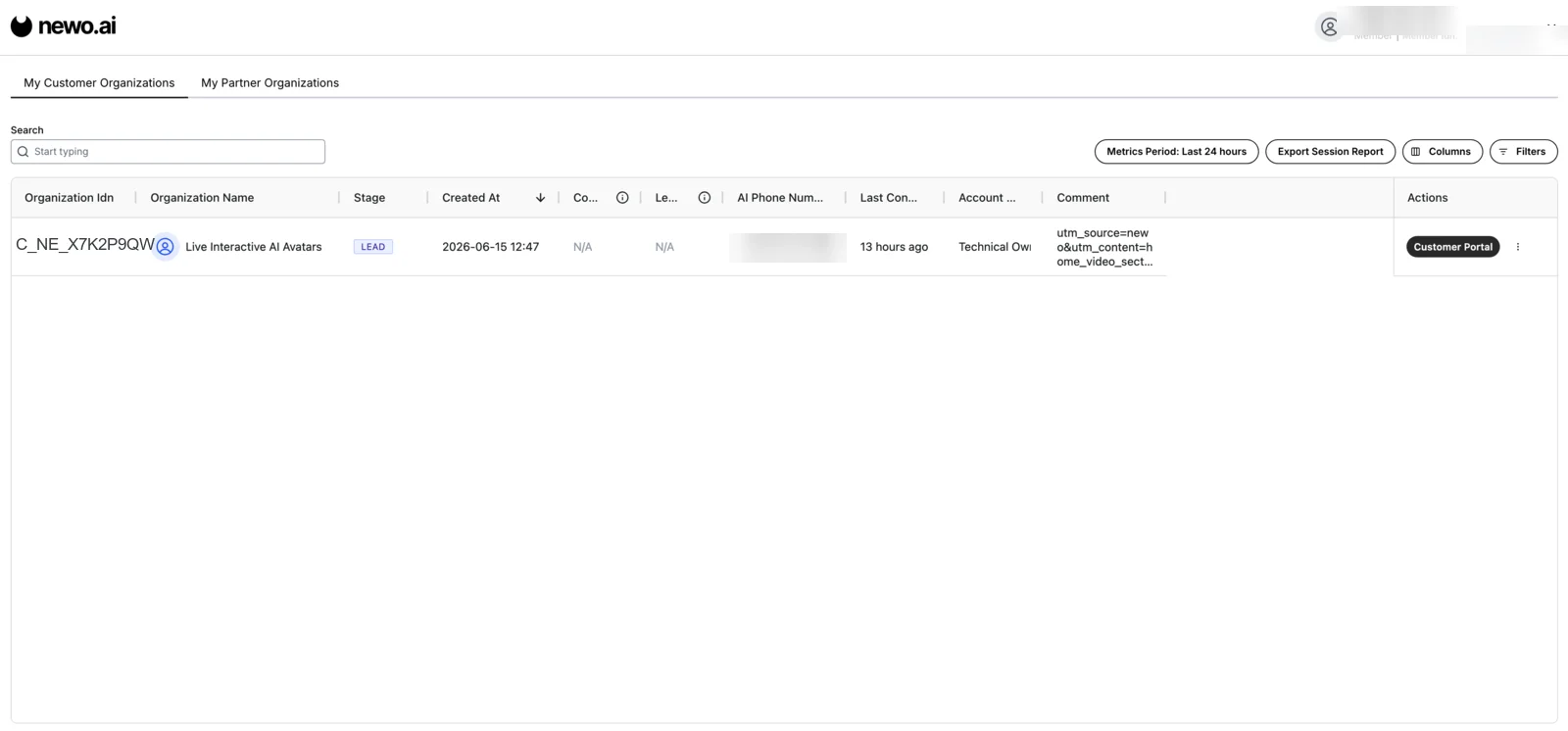
Find Your Organization Idn
Sign in to your Newo.AI portal and open the organizations list. Your identifier is in the Organization Idn column – under My Customer Organizations or My Partner Organizations, depending on how your account is set up. It looks like C_NE_X7K2P9QW. Copy the value for the organization whose agent you want to connect.
Connect to RAVATAR
- Open your project in the RAVATAR Dashboard and go to the AI LOGIC step of the Configuration Wizard.
- Set Logic Source to AI Agents.
- Set Provider to Newo.AI.
- Paste the value you copied into the Organization Idn field.
- Click Save.
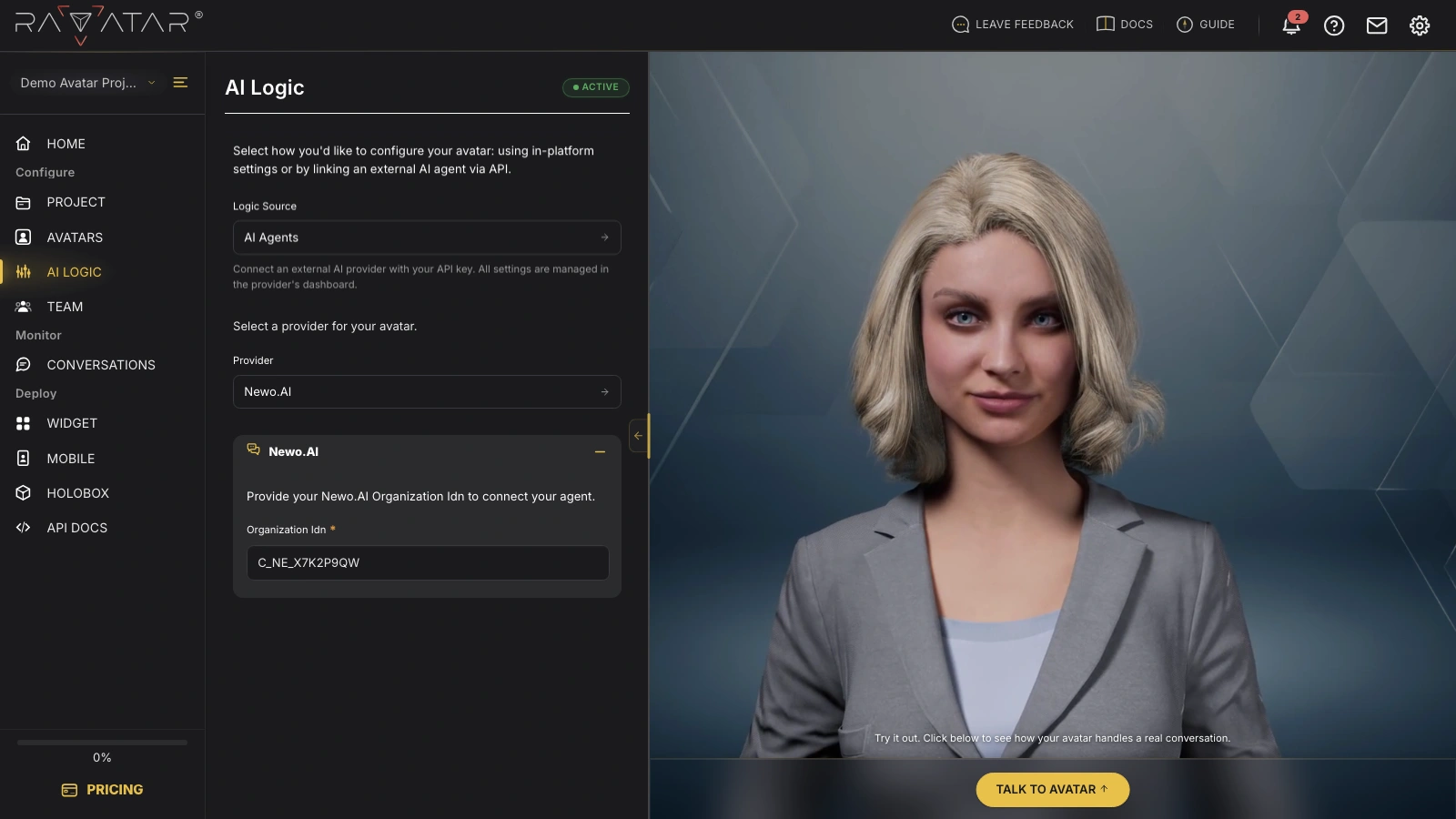
Manage the agent’s logic, knowledge, and voice entirely on the Newo.AI side. In Genesis Studio you only link the ready-made agent through its Organization Idn – there’s no API key, model, or TEXT TO SPEECH configuration to set here.
With the Organization Idn saved, your avatar runs on the connected Newo.AI agent. Test it in a live conversation right away – click Talk to Avatar in the Preview Display panel.